The access of this website is not granted to underage users
In order to enter this site, please certify that you are of legal age to access a shop selling age restricted products
SORRY, you don't have legal age to access to our website

The DynaVap Low Temperature Cap in plain words: what the cap does, why this one clicks sooner, and how to use it in four easy steps.
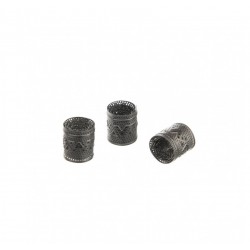
New to DynaVap? Then start with the cap. The DynaVap Low Temperature Cap is the metal end piece that sits on the Tip and tells you, with a click, when heating is done. This one is made of stainless steel and clicks a little sooner than the standard Cap. Below it is explained in plain words, one step at a time.
A DynaVap has a Tip, where your material goes, and a cap that sits on top of it. You warm the cap with a heat source. When it reaches the right temperature, it clicks. That sound is your signal to stop heating. No screen, no battery, just a click. A good first device to learn with is the M 7 (2024).
This version has a lower click temperature than the standard Cap. In simple terms: the click comes earlier. DynaVap says a lower click temperature means cooler vapour, great flavours and preserving material. The maker does not give a number in degrees, so we do not give one either.
Is the cap loose on the Tip? Squeeze it gently to adjust the fit. The cap also works as a small digger-outer tool. You can tell it from other caps by the unique logo on the side. Compatible Tips include the Stainless Steel Tip M 7, the Titanium Tips Halo, Helix and VonG, and the Stealth Tips. More parts are in the DynaVap category and on the DynaVap brand page; whole devices are under dry herb vaporizer. The cap itself is made of stainless steel.
Does the DynaVap Low Temperature Cap need a special Tip? No. It fits any DynaVap Tip except the Hyper Tip.
Is a double click a problem? No. DynaVap says it is normal.

The DynaVap Low Temperature Cap in plain words: what the cap does, why this one clicks sooner, and how to use it in four easy steps.